Back to the main page Back to category iZotope Rx5 RX 5
musical instrument details
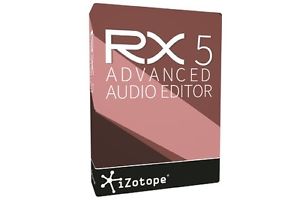
IZOTOPE RX 5 ADVANCED Audio Repair Restoration Software Electronic Delivery
Estimated price for orientation: 749 $
Category: iZotope Rx5 RX 5
Class:
Description Condition: New: A brand-new, unused, unopened, undamaged item in its original packaging (where packaging is applicable). Packaging should be the same as what is found in a retail store, unless the item is handmade or was packaged by the manufacturer in non-retail packaging, such as an unprinted box or plastic bag. See the seller's listing for full details. See all condition definitions- opens in a new window or tab ... Read moreabout the condition Model: RX 5 Advanced Platform: Windows & Mac Country/Region of Manufacture: United States MPN: RX5 Advanced Type: Computer Audio Plugins Brand: iZotope UPC: N/A
RX 5 Audio Editor FeaturesDe-plosive | Leveler | Ambience Match | EQ Match | Loudness | Instant Process Tool | Module Chain Corrective EQ | De-Clip | De-Reverb | RX Connect | Dialogue De-noise | Spectral RepairiZotope Insight | De-noise | De-Click | De-Hum | Additional FeaturesRX 5 Advanced Audio Editor, the flagship product in the . RX 5 Advanced Audio Editor is designed for professional post production audio engineers who demand best in class audio processing tools and deep controls. RX 5 Audio Editor delivers the essential tools any audio editor needs to repair and enhance audio for their productions. ADV De-plosiveImprove the quality of your dialogue by removing plosive pops and mic bumps that can occur during a recording. Intelligent analysis detects the presence of a plosive in between the desirable harmonics of a dialogue or vocal signal. It then transparently reduces the plosive far more effectively than simply using an EQ to roll off the low end (which lacks precision and also affects dialogue frequencies). ADV LevelerLevel the volume of your dialogue with consistency, while keeping the breathes and sibliances lower. Take hours of production dialogue and non-destructively level it out in just a few minutes, leaving you time for fine tuning and creative mixing.ADV Ambience Match & AudioSuite Plug-inFill in consistent ambience beds under constructed sentences and ADR lines right from within Pro Tools AudioSuite. No longer spend hours of time manually looping sections of ambience under a scene with ADR and broken up sentences.ADV EQ MatchCreate a consistent sonic sound between two different dialogue recordings (for example, matching ADR to production audio. Save time editing by easily producing EQ consistency between dialogue lines without manually trying to match their EQs. ADV LoudnessEnsure compliance with international broadcast standards.The Loudness module quickly makes any mix compliant with network standards across the world, so you can export and deliver your mix to multiple networks. Simply enter the desired True Peak and LKFS values, and click Process. The module will indicate what the loudness measurements are for your audio (integrated, shorterm, momentary, range loudness, and true peak); you can then select a preset or set a desired target Integrated Loudness and True Peak value for the program audio. Instant Process ToolDirectly and intuitively paint away audio problems on the spectrogram within the timeline. Intuitively cleanup and repair audio in a quick and immediate way that will save many mouse clicks. Instant Process is a mode that may be toggled on/off. When Instant Process is on, any selection you make is immediately processed. Simply paint an audio problem away without needing to open a module, choose settings, and then click Process. Instant Process offers several different modes (Attenuate, De-click, Fade, and Gain, and Replace) which will instantly process the settings present in the named module/tab.Module ChainProcess multiple modules (preset) at once, reducing the amount of mouse clicks. Get quick results and save time on a project that contain problematic audio needing multiple processes to get cleaned up.Corrective EQSurgically reduce and remove problematic frequencies.The Corrective EQ module can often be a simple first step to preparing a file for cleanup and repair. Now with a new easy-to-use UI, 6 fully parametric bands and new filters to be used for cutting harsh high frequencies, rolling off low rumbles, reducing standing waves from a boomy location recording or increasing the intelligibility of dialogue. De-clipDe-clip repairs digital and analog clipping artifacts that result when A/D converters are pushed too hard or magnetic tape is over-saturated. De-clip can be extremely useful for saving recordings that were made in a single pass, such as live concerts or interviews, and any audio that cannot be re-recorded. De-reverbReduce some of the reverb from a recorded space in order to make the dialogue useable. Salvage recordings of dialogue containing too much reverb/acoustic space without needing to spend time/money on a reshoot or ADR. Take control over the amount of ambient space captured in a recording: make large cathedrals sound like small halls and make roomy vocals sound like they were recorded in a proper studio space. With easy-to-use controls and powerful technology under the hood, it's an essential tool for anyone seeking a tighter mix.RX ConnectIntegrate a quick workflow between your DAW/NLE and RX Audio Editor to utilize all the repair/enhancement modules needed to cleanup production audio. For Pro Tools RX Connect now supports clip-by-clip and handles which preserves the boundaries of clips, so you can conform to future picture changes with ease, making RX Audio Editor a natural extension of Pro Tools. RX Monitor enables you to monitor your audio from the RX Audio Editor application through your host application (i.e. Pro Tools, which does not allow other applications to use their hardware simultaneously). Dialogue De-noiseRestore problematic vocal or production audio recordings in real time. The zero-latency Dialogue De-noise real-time plug-in is the most powerful denoiser focused on dialogue treatment. When unwanted background and ambient noise threaten the quality of dialogue recordings, Dialogue De-noise replaces the need for costly and time-consuming automated dialogue replacement (ADR)—ensuring professional sounding results, every time. And with an intuitive "set it and forget it" workflow that automatically adjusts to changing noise profiles, those working in high-end post production houses as well as home studios will find it incredibly easy to use.With an algorithm specifically tuned to keep dialogue as pristine as possible, Dialogue De-noise can treat most problems right out of the box—potentially saving you hours of time. Spectral RepairVisually isolate and paint away to remove any unwanted sounds.Spectral Repair is the key to discovering what your waveform won't show you. Use familiar drawing tools to identify and select problem frequencies and unwanted sounds. Salvage unusable material by filling in audio gaps instantly. With a unique visualization and a variety of selection tools at your fingertips, Spectral Repair lets you get closer to your audio—and take a hands-on approach to repairing and enhancing it.Once a problem sound has been identified, the Spectral Repair algorithms available either in the module or Instant Process Tool, are able to resynthesize the audio while taking into consideration tonal harmonics, nonlinear pitch changes like vibrato, background noise characteristics and transient events. With the power of these tools, you can remove or attenuate unwanted, interfering sounds—from barking dogs and breath noises to string squeaks, fret noise, and missed/wrong notes.RX 5 Advanced Audio Editor includes a multi-resolution mode that more accurately separates unwanted noise and desired audio. ADV iZotope Insight® Visualize your mix and comply with loudness standards.The Insight real-time plug-in (a $499 value) is bundled with RX 5 Advanced Audio Editor. De-noiseReduce unwanted background noise quickly and easily.De-noise provides natural noise reduction with unparalleled clarity and control. Built with the most troublesome audio imperfections in mind, De-noise removes unwanted tonal and broadband noise from any type of recording—such as music, old recordings, home movies, production recordings, and more. With transparent noise suppression technology that minimizes artifacts, the De-noise module is carefully designed to preserve the character of your audio.RX 5 Advanced Audio Editor features Adaptive Mode, which analyzes changing noise profiles and fixes audio imperfections automatically. It's the ideal choice for fast, efficient audio repair on the fly.De-clickEliminate clicks, crackles, pops and digital impulse noises.De-click automatically identifies and removes clicks, pops and digital impulse noises that can ruin a listening experience. Turn to De-click when polishing audio transfers and other recordings suffering from quality degradation, digital errors, mouth noises, and interference from cell phones. For the toughest click and crackle problems, Interpolate Mode allows you to make manual sample-level corrections to audio.De-crackle is designed to treat continuous background crackle from sources such as vinyl, but can also treat problems like dry-mouthed spoken word and reed noise from woodwind instruments.De-humRemove electrical hum and line noise. De-hum automatically identifies the base frequency of unwanted hum, and precisely removes it from the recording along with harmonics—ensuring a clean overall sound without electrical interference. For more complex hum and buzz removal, the module also automatically recommends when to use De-noise instead, so you'll always have the best tool at hand for the job. The "Adaptive" mode removes hum that changes in frequency over time.Additional FeaturesADV Time & Pitch | Features Radius® RT, iZotope's time-stretching and pitch-shifting algorithm as well as Pitch Contour, a variable-speed resampler for synchronous changes in pitch and time. Signal Generator | Generate any type of tone or noise for calibrating or setting a reference level, adding any required tones for the start/end points of a mix for picture, or inserting tones and bleeps to censor explicit dialogue. Resample | Ensure the highest quality when adjusting sample rates with SRC™, iZotope's sample rate conversion algorithm. Dither | Reduce bit resolution for final delivery of your project without sacrificing quality with MBIT+™, iZotope's renowned dither algorithm. Channel Ops | A module that offers precise delay and phase operations. Spectrum Analyzer | A detailed spectral display that detects peaks automatically. Third-party Plug-in Support | Host Audio Unit or VST plug-ins in RX 5’s Plug-In module. Batch Processing | Chain modules, process multiple files at once, and use multiple CPUs to speed up your workflow. Check out my other listings for more great deals! Just click here:
You can contact us via e-mail or phone.
For the fastest service, please use the eBay "Ask Seller a Question" feature. Response within 60 minutes (generally) except weekends, 5 days a week (Monday - Friday) from 10am to 6pm MST! Call 520-742-2647 10am to 6pm MST, Monday - Friday if you have any questions.
Arizona residents add sales tax.
Description
| Condition: | New: A brand-new, unused, unopened, undamaged item in its original packaging (where packaging is applicable). Packaging should be the same as what is found in a retail store, unless the item is handmade or was packaged by the manufacturer in non-retail packaging, such as an unprinted box or plastic bag. See the seller's listing for full details. See all condition definitions- opens in a new window or tab ... Read moreabout the condition | Model: | RX 5 Advanced |
| Platform: | Windows & Mac | Country/Region of Manufacture: | United States |
| MPN: | RX5 Advanced | Type: | Computer Audio Plugins |
| Brand: | iZotope | UPC: | N/A |
RX 5 Audio Editor FeaturesDe-plosive | Leveler | Ambience Match | EQ Match | Loudness | Instant Process Tool | Module Chain Corrective EQ | De-Clip | De-Reverb | RX Connect | Dialogue De-noise | Spectral RepairiZotope Insight | De-noise | De-Click | De-Hum | Additional FeaturesRX 5 Advanced Audio Editor, the flagship product in the . RX 5 Advanced Audio Editor is designed for professional post production audio engineers who demand best in class audio processing tools and deep controls. RX 5 Audio Editor delivers the essential tools any audio editor needs to repair and enhance audio for their productions. ADV De-plosiveImprove the quality of your dialogue by removing plosive pops and mic bumps that can occur during a recording. Intelligent analysis detects the presence of a plosive in between the desirable harmonics of a dialogue or vocal signal. It then transparently reduces the plosive far more effectively than simply using an EQ to roll off the low end (which lacks precision and also affects dialogue frequencies). ADV LevelerLevel the volume of your dialogue with consistency, while keeping the breathes and sibliances lower. Take hours of production dialogue and non-destructively level it out in just a few minutes, leaving you time for fine tuning and creative mixing.ADV Ambience Match & AudioSuite Plug-inFill in consistent ambience beds under constructed sentences and ADR lines right from within Pro Tools AudioSuite. No longer spend hours of time manually looping sections of ambience under a scene with ADR and broken up sentences.ADV EQ MatchCreate a consistent sonic sound between two different dialogue recordings (for example, matching ADR to production audio. Save time editing by easily producing EQ consistency between dialogue lines without manually trying to match their EQs. ADV LoudnessEnsure compliance with international broadcast standards.The Loudness module quickly makes any mix compliant with network standards across the world, so you can export and deliver your mix to multiple networks. Simply enter the desired True Peak and LKFS values, and click Process. The module will indicate what the loudness measurements are for your audio (integrated, shorterm, momentary, range loudness, and true peak); you can then select a preset or set a desired target Integrated Loudness and True Peak value for the program audio. Instant Process ToolDirectly and intuitively paint away audio problems on the spectrogram within the timeline. Intuitively cleanup and repair audio in a quick and immediate way that will save many mouse clicks. Instant Process is a mode that may be toggled on/off. When Instant Process is on, any selection you make is immediately processed. Simply paint an audio problem away without needing to open a module, choose settings, and then click Process. Instant Process offers several different modes (Attenuate, De-click, Fade, and Gain, and Replace) which will instantly process the settings present in the named module/tab.Module ChainProcess multiple modules (preset) at once, reducing the amount of mouse clicks. Get quick results and save time on a project that contain problematic audio needing multiple processes to get cleaned up.Corrective EQSurgically reduce and remove problematic frequencies.The Corrective EQ module can often be a simple first step to preparing a file for cleanup and repair. Now with a new easy-to-use UI, 6 fully parametric bands and new filters to be used for cutting harsh high frequencies, rolling off low rumbles, reducing standing waves from a boomy location recording or increasing the intelligibility of dialogue. De-clipDe-clip repairs digital and analog clipping artifacts that result when A/D converters are pushed too hard or magnetic tape is over-saturated. De-clip can be extremely useful for saving recordings that were made in a single pass, such as live concerts or interviews, and any audio that cannot be re-recorded. De-reverbReduce some of the reverb from a recorded space in order to make the dialogue useable. Salvage recordings of dialogue containing too much reverb/acoustic space without needing to spend time/money on a reshoot or ADR. Take control over the amount of ambient space captured in a recording: make large cathedrals sound like small halls and make roomy vocals sound like they were recorded in a proper studio space. With easy-to-use controls and powerful technology under the hood, it's an essential tool for anyone seeking a tighter mix.RX ConnectIntegrate a quick workflow between your DAW/NLE and RX Audio Editor to utilize all the repair/enhancement modules needed to cleanup production audio. For Pro Tools RX Connect now supports clip-by-clip and handles which preserves the boundaries of clips, so you can conform to future picture changes with ease, making RX Audio Editor a natural extension of Pro Tools. RX Monitor enables you to monitor your audio from the RX Audio Editor application through your host application (i.e. Pro Tools, which does not allow other applications to use their hardware simultaneously). Dialogue De-noiseRestore problematic vocal or production audio recordings in real time. The zero-latency Dialogue De-noise real-time plug-in is the most powerful denoiser focused on dialogue treatment. When unwanted background and ambient noise threaten the quality of dialogue recordings, Dialogue De-noise replaces the need for costly and time-consuming automated dialogue replacement (ADR)—ensuring professional sounding results, every time. And with an intuitive "set it and forget it" workflow that automatically adjusts to changing noise profiles, those working in high-end post production houses as well as home studios will find it incredibly easy to use.With an algorithm specifically tuned to keep dialogue as pristine as possible, Dialogue De-noise can treat most problems right out of the box—potentially saving you hours of time. Spectral RepairVisually isolate and paint away to remove any unwanted sounds.Spectral Repair is the key to discovering what your waveform won't show you. Use familiar drawing tools to identify and select problem frequencies and unwanted sounds. Salvage unusable material by filling in audio gaps instantly. With a unique visualization and a variety of selection tools at your fingertips, Spectral Repair lets you get closer to your audio—and take a hands-on approach to repairing and enhancing it.Once a problem sound has been identified, the Spectral Repair algorithms available either in the module or Instant Process Tool, are able to resynthesize the audio while taking into consideration tonal harmonics, nonlinear pitch changes like vibrato, background noise characteristics and transient events. With the power of these tools, you can remove or attenuate unwanted, interfering sounds—from barking dogs and breath noises to string squeaks, fret noise, and missed/wrong notes.RX 5 Advanced Audio Editor includes a multi-resolution mode that more accurately separates unwanted noise and desired audio. ADV iZotope Insight® Visualize your mix and comply with loudness standards.The Insight real-time plug-in (a $499 value) is bundled with RX 5 Advanced Audio Editor. De-noiseReduce unwanted background noise quickly and easily.De-noise provides natural noise reduction with unparalleled clarity and control. Built with the most troublesome audio imperfections in mind, De-noise removes unwanted tonal and broadband noise from any type of recording—such as music, old recordings, home movies, production recordings, and more. With transparent noise suppression technology that minimizes artifacts, the De-noise module is carefully designed to preserve the character of your audio.RX 5 Advanced Audio Editor features Adaptive Mode, which analyzes changing noise profiles and fixes audio imperfections automatically. It's the ideal choice for fast, efficient audio repair on the fly.De-clickEliminate clicks, crackles, pops and digital impulse noises.De-click automatically identifies and removes clicks, pops and digital impulse noises that can ruin a listening experience. Turn to De-click when polishing audio transfers and other recordings suffering from quality degradation, digital errors, mouth noises, and interference from cell phones. For the toughest click and crackle problems, Interpolate Mode allows you to make manual sample-level corrections to audio.De-crackle is designed to treat continuous background crackle from sources such as vinyl, but can also treat problems like dry-mouthed spoken word and reed noise from woodwind instruments.De-humRemove electrical hum and line noise. De-hum automatically identifies the base frequency of unwanted hum, and precisely removes it from the recording along with harmonics—ensuring a clean overall sound without electrical interference. For more complex hum and buzz removal, the module also automatically recommends when to use De-noise instead, so you'll always have the best tool at hand for the job. The "Adaptive" mode removes hum that changes in frequency over time.Additional FeaturesADV Time & Pitch | Features Radius® RT, iZotope's time-stretching and pitch-shifting algorithm as well as Pitch Contour, a variable-speed resampler for synchronous changes in pitch and time. Signal Generator | Generate any type of tone or noise for calibrating or setting a reference level, adding any required tones for the start/end points of a mix for picture, or inserting tones and bleeps to censor explicit dialogue. Resample | Ensure the highest quality when adjusting sample rates with SRC™, iZotope's sample rate conversion algorithm. Dither | Reduce bit resolution for final delivery of your project without sacrificing quality with MBIT+™, iZotope's renowned dither algorithm. Channel Ops | A module that offers precise delay and phase operations. Spectrum Analyzer | A detailed spectral display that detects peaks automatically. Third-party Plug-in Support | Host Audio Unit or VST plug-ins in RX 5’s Plug-In module. Batch Processing | Chain modules, process multiple files at once, and use multiple CPUs to speed up your workflow. Check out my other listings for more great deals! Just click here:
You can contact us via e-mail or phone.
For the fastest service, please use the eBay "Ask Seller a Question" feature. Response within 60 minutes (generally) except weekends, 5 days a week (Monday - Friday) from 10am to 6pm MST! Call 520-742-2647 10am to 6pm MST, Monday - Friday if you have any questions.
Arizona residents add sales tax.
You can contact us via e-mail or phone.
For the fastest service, please use the eBay "Ask Seller a Question" feature. Response within 60 minutes (generally) except weekends, 5 days a week (Monday - Friday) from 10am to 6pm MST! Call 520-742-2647 10am to 6pm MST, Monday - Friday if you have any questions.
Arizona residents add sales tax.