Back to the main page Back to category iZotope Rx5 RX 5 Advanced Comple
musical instrument details
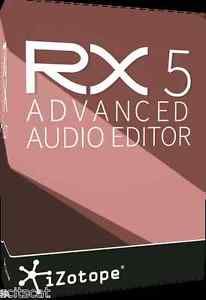
New iZotope RX5 RX 5 Advanced Complete Audio Repair Enhancement Mac/PC
Estimated price for orientation: 1 199 $
Category: iZotope Rx5 RX 5 Advanced Comple
Class:
Description Condition: New: A brand-new, unused, unopened, undamaged item in its original packaging (where packaging is applicable). Packaging should be the same as what is found in a retail store, unless the item is handmade or was packaged by the manufacturer in non-retail packaging, such as an unprinted box or plastic bag. See the seller's listing for full details. See all condition definitions- opens in a new window or tab ... Read moreabout the condition Type: Virtual Processor MPN: RX5 Advanced Platform: Windows & Mac, Universal Country/Region of Manufacture: United States Brand: iZotope Product Type: Computer Recording Model: RX5 Advanced UPC: Does not apply
iZotope RX5 Advanced Audio EditorNow Available: RX 5 Advanced Audio EditorIZOTOPE RX 5 ADVANCED COMPLETE AUDIO REPAIR & ENHANCEMENTiZotope's award-winning RX is the industry standard for audio repair and enhancement, fixing common audio problems like noises, distortions, and inconsistent recordings. Post production professionals, audio engineers, and video editors alike use RX to transform previously unusable audio into pristine material.RX’s suite of automatic, intelligent modules reduce manual tasks in your audio production workflow, freeing you up to focus on creative experimentation. And for professionals who need to quickly deliver quality results, RX 5 Advanced offers even more specialized post production tools.Turn flawed audio into pristine, usable material by removing noises, distortions, reverb, and more.Edit your audio like you would edit an image using precision drawing tools, such as a brush and magic wand.Ensure smooth, even, and consistent vocal and dialogue takes with tools that help match and balance multiple recordings.Seamlessly integrate with your audio or video editing software, both as a standalone application or plug-in.Deliver professional-quality results with speed and efficiency, meeting compliance requirements and international broadcast standards.Who is it For?Audio Post ProductionSave time and reduce the need for ADR by cleaning up clipped, damaged and noisy dialogue in real time with RX 5's simple-to-use tools.Isolate and reduce troublesome background noise in real time with the Dialogue Denoiser.Easily match the sonic differences between audio recordings from different environments.(ADV)Audio Engineering and RecordingEliminate the amp hum, equipment hiss, and environmental noise that can ruin your recordings.Fix problems like clipping, audio dropouts, and other sudden unwanted sounds.Remove unwanted reverb and improve the quality of on-location recordings with the Dereverb tool. (ADV)Audio MasteringRemove noises from live recording with spectral editing.Attenuate certain sounds within a mix when you can't return to source audio.Polish your music to professional-sounding quality, whether recorded in a home studio or live environment.Video EditingVisualize your audio for intuitive editing with minimal learning curve.Reduce the background and location noise on production audio.Clean up voiceover and narration mouth noises.Reduce the need for ADR by repairing distorted audio affected by sudden screams and other undesirable sounds.Audio for BroadcastEnsure loudness compliance with international broadcast standards using the Loudness module and with Insight® iZotope's enhanced metering suite. (ADV)Reduce sudden wind noises, location noise, and electrical buzz/hum on location interviews.Restoration and ArchivingRestore old mediums such as vinyl, tape and film with precise control over each step of the process.Streamline your workflow by recording directly into RX 4 and making necessary repairs, then create a high quality export using 64-bit SRC™ resampling and MBIT+™ dithering. Repair stereo imbalances and phase issues that can occur during tape restoration with Azimuth Alignment controls. (ADV)ForensicsImprove the clarity and intelligibility of vocals by removing background noise.Visually perform edit analyses by using the Spectrogram display.Keep track of all performed tasks and export a log of your edit history.(ADV)Podcasting and AudiobooksReduce unwanted noise from location recordings and phone interviews.Remove distortion and signal clip from recordings using RX 4's enhanced declipping processes.Automatically level the entire interview without compression using the Leveler.(ADV)Features:Dialogue DenoiserRestore problematic vocal or production audio recordings in real timeNow available in both RX 5 and RX 5 Advanced, the low-latency Dialogue Denoiser is the most powerful denoiser focused on real-time vocals and dialogue treatment. When unwanted background and ambient noise threaten the quality of vocal recordings, the Dialogue Denoiser replaces the need for costly and time-consuming automated dialogue replacement (ADR)—ensuring professional sounding results, every time. And with an intuitive "set it and forget it" workflow that automatically adjusts to changing noise profiles, those working in high-end post production houses as well as bedroom studios will find it incredibly easy to use.With an algorithm specifically tuned to keep dialogue as pristine as possible, the Dialogue Denoiser can treat most problems right out of the box—potentially saving you hours of time.Spectral RepairVisually isolate and remove unwanted soundsWith RX 5, now you can use RX Connect to unleash all the capabilities of Spectral Repair found in the standalone application with no interruption to your workflow!Spectral Repair is the key to discovering what your waveform won't show you. Use familiar drawing tools to identify and select problem frequencies and unwanted sounds. Salvage unusable material by filling in audio gaps instantly. With a unique visualization and a variety of selection tools to use, Spectral Repair lets you get closer to your audio—and take a hands-on approach to repairing and enhancing it.Once a problem sound has been identified and selected, the Spectral Repair algorithms are able to resynthesize the audio while taking into consideration tonal harmonics, nonlinear pitch changes like vibrato, background noise characteristics and transient events. With the power of these tools, you can remove or attenuate unwanted, interfering sounds—from barking dogs and breath noises to string squeaks, fret noise, and missed/wrong notes.RX 4 Advanced includes a multi-resolution mode that more accurately separates unwanted noise and desired audio.Leveler [RX 5 Advanced] & Clip GainEasily adjust and level the volume of vocals and instrumentalsNon-destructive clip gain is a feature in both RX 5 and RX 5 Advanced. You can draw your ideal volume curve on individual clips with node-based Clip Gain, and use instant visual feedback to balance levels against surrounding vocals or other sounds. In RX 5 Advanced, the intelligent Leveler sets your Clip Gain to a target level automatically—freeing more time for creative mix decisions.Loudness [RX 5 Advanced]Ensure compliance with international broadcast standardsThe Loudness module quickly makes any mix compliant with the latest network standards across the world, so you can export and deliver your mix to multiple networks. Simply enter the desired True Peak and LKFS values, and click Process. The module will indicate what the loudness measurements are for your audio (integrated, shorterm, momentary, range loudness, and true peak); you can then select a preset or set a desired target Integrated Loudness and True Peak value for the program audio.Ambience Match [RX 5 Advanced]Match the environment noise of different audio recordingsQuickly match the environment noise of two different audio recordings. First, learn the source audio clip's ambient noise, then process the learned ambient noise on a target audio clip. A single slider provides control over the amount of learned ambient noise to be applied. The learned ambient noise to be added to a target audio clip will not increase the noise floor of the target file. So if there is already a loud, noisy ambient, the module will not make it noisier. The module also knows not to compound the level of the noise floor if adding the same ambient noise profile to an audio clip. You can also easily create long sections of constant ambient noise to insert under ADR recordings.RX ConnectStreamline your process with a round-trip workflowRX Connect enables you to use the powerful tools in the RX standalone application in conjunction with your audio or video editing software without slowing down productivity. First, send audio from your host application (DAW/NLE) to RX, where you can repair and enhance. Then, quickly return the new audio back to your host in place of the original audio. RX Monitor enables you to monitor your audio from the RX application through your host application (DAW/NLE). For applications like Pro Tools, which does not allow other applications to use their hardware while launched, this is an essential plug-in.iZotope Insight® [RX 5 Advanced]Visualize your mix and comply with loudness standardsInsight is iZotope's essential metering suite, bundled with RX 4 Advanced as an additional plug-in (a $499 value). With its extensive set of audio analysis and metering tools, Insight is perfect for visualizing changes made during mixing and mastering, troubleshooting problematic mixes, and ensuring compliance with international broadcast loudness standards like BS.1770-1/2/3 and EBU R128. Additionally, you can generate a report and image of your Loudness history for use when delivering your mix to the network.Fully customizable and scalable, Insight allows you to visually monitor all relevant information from your mono, stereo or surround mix in a convenient floating window. Load Insight into your favorite DAW or NLE to keep an eye as well as an ear on your mix at all times.Dereverb [RX 5 Advanced]Remove unwanted reverb from a variety of recorded materialDereverb removes and reduces unwanted reverb from vocal and instrumental tracks, allowing you to keep audio clear and focused. Take control over the amount of ambient space captured in a recording: make large cathedrals sound like small halls and make roomy vocals sound like they were recorded in a proper studio space. With easy-to-use controls and powerful technology under the hood, it's an essential tool for anyone seeking a tighter mix.DenoiseReduce unwanted background noise quickly and easilyDenoise provides natural noise reduction with unparalleled clarity and control. Built with the most troublesome audio imperfections in mind, Denoise removes unwanted noise from any type of recording—such as music, old recordings, home movies, production recordings, and more. With transparent noise suppression technology that minimizes artifacts, the Denoise module is carefully designed to preserve the character of your audio. In addition, Denoise allows independent control over both tonal and broadband noise components, providing ultimate creative control over the color of the end result.RX 5 Advanced features Adaptive Mode, which analyzes changing noise profiles and fixes audio imperfections automatically. It's the ideal choice for fast, efficient audio repair on the fly.Declick Eliminate clicks, crackles, pops and digital impulse noisesDeclick automatically identifies and removes clicks, pops and digital impulse noises that can ruin a listening experience. Turn to Declick when polishing audio transfers and other recordings suffering from quality degradation, digital errors, mouth noises, and interference from cell phones. For the toughest click and crackle problems, Interpolate Mode allows you to make manual sample-level corrections to audio.Decrackle is designed to treat continuous background crackle from sources such as vinyl, but can also treat problems like dry-mouthed spoken word and reed noise from woodwind instruments.Hum RemovalRemove electrical hum and line noiseHum Removal automatically identifies the base frequency of unwanted hum, and precisely removes it from the recording along with harmonics—ensuring a clean overall sound without electrical interference. For more complex hum and buzz removal, the module also automatically recommends when to use Denoise instead, so you'll always have the best tool at hand for the job.The "Adaptive" mode removes hum that changes in frequency over time. Unlike traditional filters, this mode removes unwanted hum without side effects, such as the "hollow" sound introduced by comb filters.Additional Features:Time & Pitch| Features Radius® RT, iZotope's time-stretching and pitch-shifting algorithm as well as Pitch Contour, a pitch re-mapper with all-new time-variable sampling. (ADV)Resample| Ensure the highest quality when adjusting sample rates with SRC™, iZotope's sample rate conversion algorithm.Dither| Reduce bit resolution for final delivery of your project without sacrificing quality with MBIT+™, iZotope's renowned dither algorithm.Declip| Rebuild distorted audio caused by analog and digital overload, and get through projects even faster with the automatic Suggest feature.Channel Ops| A module that offers precise delay and phase operations. RX 5 Advanced adds improved Azimuth Alignment for automatic and manual alignment of audio recorded to tape.Spectrum Analyzer| A detailed spectral display that detects peaks automatically.Third-party Plug-in Support| Host any Audio Unit or VST plug-in in RX 5's Plug-In module.Batch Processing | Chain modules, process multiple files at once, and use multiple CPUs to speed up your workflow.Order Yours Today!
Description
| Condition: | New: A brand-new, unused, unopened, undamaged item in its original packaging (where packaging is applicable). Packaging should be the same as what is found in a retail store, unless the item is handmade or was packaged by the manufacturer in non-retail packaging, such as an unprinted box or plastic bag. See the seller's listing for full details. See all condition definitions- opens in a new window or tab ... Read moreabout the condition | Type: | Virtual Processor |
| MPN: | RX5 Advanced | Platform: | Windows & Mac, Universal |
| Country/Region of Manufacture: | United States | Brand: | iZotope |
| Product Type: | Computer Recording | Model: | RX5 Advanced |
| UPC: | Does not apply |
iZotope RX5 Advanced Audio EditorNow Available: RX 5 Advanced Audio EditorIZOTOPE RX 5 ADVANCED COMPLETE AUDIO REPAIR & ENHANCEMENTiZotope's award-winning RX is the industry standard for audio repair and enhancement, fixing common audio problems like noises, distortions, and inconsistent recordings. Post production professionals, audio engineers, and video editors alike use RX to transform previously unusable audio into pristine material.RX’s suite of automatic, intelligent modules reduce manual tasks in your audio production workflow, freeing you up to focus on creative experimentation. And for professionals who need to quickly deliver quality results, RX 5 Advanced offers even more specialized post production tools.Turn flawed audio into pristine, usable material by removing noises, distortions, reverb, and more.Edit your audio like you would edit an image using precision drawing tools, such as a brush and magic wand.Ensure smooth, even, and consistent vocal and dialogue takes with tools that help match and balance multiple recordings.Seamlessly integrate with your audio or video editing software, both as a standalone application or plug-in.Deliver professional-quality results with speed and efficiency, meeting compliance requirements and international broadcast standards.Who is it For?Audio Post ProductionSave time and reduce the need for ADR by cleaning up clipped, damaged and noisy dialogue in real time with RX 5's simple-to-use tools.Isolate and reduce troublesome background noise in real time with the Dialogue Denoiser.Easily match the sonic differences between audio recordings from different environments.(ADV)Audio Engineering and RecordingEliminate the amp hum, equipment hiss, and environmental noise that can ruin your recordings.Fix problems like clipping, audio dropouts, and other sudden unwanted sounds.Remove unwanted reverb and improve the quality of on-location recordings with the Dereverb tool. (ADV)Audio MasteringRemove noises from live recording with spectral editing.Attenuate certain sounds within a mix when you can't return to source audio.Polish your music to professional-sounding quality, whether recorded in a home studio or live environment.Video EditingVisualize your audio for intuitive editing with minimal learning curve.Reduce the background and location noise on production audio.Clean up voiceover and narration mouth noises.Reduce the need for ADR by repairing distorted audio affected by sudden screams and other undesirable sounds.Audio for BroadcastEnsure loudness compliance with international broadcast standards using the Loudness module and with Insight® iZotope's enhanced metering suite. (ADV)Reduce sudden wind noises, location noise, and electrical buzz/hum on location interviews.Restoration and ArchivingRestore old mediums such as vinyl, tape and film with precise control over each step of the process.Streamline your workflow by recording directly into RX 4 and making necessary repairs, then create a high quality export using 64-bit SRC™ resampling and MBIT+™ dithering. Repair stereo imbalances and phase issues that can occur during tape restoration with Azimuth Alignment controls. (ADV)ForensicsImprove the clarity and intelligibility of vocals by removing background noise.Visually perform edit analyses by using the Spectrogram display.Keep track of all performed tasks and export a log of your edit history.(ADV)Podcasting and AudiobooksReduce unwanted noise from location recordings and phone interviews.Remove distortion and signal clip from recordings using RX 4's enhanced declipping processes.Automatically level the entire interview without compression using the Leveler.(ADV)Features:Dialogue DenoiserRestore problematic vocal or production audio recordings in real timeNow available in both RX 5 and RX 5 Advanced, the low-latency Dialogue Denoiser is the most powerful denoiser focused on real-time vocals and dialogue treatment. When unwanted background and ambient noise threaten the quality of vocal recordings, the Dialogue Denoiser replaces the need for costly and time-consuming automated dialogue replacement (ADR)—ensuring professional sounding results, every time. And with an intuitive "set it and forget it" workflow that automatically adjusts to changing noise profiles, those working in high-end post production houses as well as bedroom studios will find it incredibly easy to use.With an algorithm specifically tuned to keep dialogue as pristine as possible, the Dialogue Denoiser can treat most problems right out of the box—potentially saving you hours of time.Spectral RepairVisually isolate and remove unwanted soundsWith RX 5, now you can use RX Connect to unleash all the capabilities of Spectral Repair found in the standalone application with no interruption to your workflow!Spectral Repair is the key to discovering what your waveform won't show you. Use familiar drawing tools to identify and select problem frequencies and unwanted sounds. Salvage unusable material by filling in audio gaps instantly. With a unique visualization and a variety of selection tools to use, Spectral Repair lets you get closer to your audio—and take a hands-on approach to repairing and enhancing it.Once a problem sound has been identified and selected, the Spectral Repair algorithms are able to resynthesize the audio while taking into consideration tonal harmonics, nonlinear pitch changes like vibrato, background noise characteristics and transient events. With the power of these tools, you can remove or attenuate unwanted, interfering sounds—from barking dogs and breath noises to string squeaks, fret noise, and missed/wrong notes.RX 4 Advanced includes a multi-resolution mode that more accurately separates unwanted noise and desired audio.Leveler [RX 5 Advanced] & Clip GainEasily adjust and level the volume of vocals and instrumentalsNon-destructive clip gain is a feature in both RX 5 and RX 5 Advanced. You can draw your ideal volume curve on individual clips with node-based Clip Gain, and use instant visual feedback to balance levels against surrounding vocals or other sounds. In RX 5 Advanced, the intelligent Leveler sets your Clip Gain to a target level automatically—freeing more time for creative mix decisions.Loudness [RX 5 Advanced]Ensure compliance with international broadcast standardsThe Loudness module quickly makes any mix compliant with the latest network standards across the world, so you can export and deliver your mix to multiple networks. Simply enter the desired True Peak and LKFS values, and click Process. The module will indicate what the loudness measurements are for your audio (integrated, shorterm, momentary, range loudness, and true peak); you can then select a preset or set a desired target Integrated Loudness and True Peak value for the program audio.Ambience Match [RX 5 Advanced]Match the environment noise of different audio recordingsQuickly match the environment noise of two different audio recordings. First, learn the source audio clip's ambient noise, then process the learned ambient noise on a target audio clip. A single slider provides control over the amount of learned ambient noise to be applied. The learned ambient noise to be added to a target audio clip will not increase the noise floor of the target file. So if there is already a loud, noisy ambient, the module will not make it noisier. The module also knows not to compound the level of the noise floor if adding the same ambient noise profile to an audio clip. You can also easily create long sections of constant ambient noise to insert under ADR recordings.RX ConnectStreamline your process with a round-trip workflowRX Connect enables you to use the powerful tools in the RX standalone application in conjunction with your audio or video editing software without slowing down productivity. First, send audio from your host application (DAW/NLE) to RX, where you can repair and enhance. Then, quickly return the new audio back to your host in place of the original audio. RX Monitor enables you to monitor your audio from the RX application through your host application (DAW/NLE). For applications like Pro Tools, which does not allow other applications to use their hardware while launched, this is an essential plug-in.iZotope Insight® [RX 5 Advanced]Visualize your mix and comply with loudness standardsInsight is iZotope's essential metering suite, bundled with RX 4 Advanced as an additional plug-in (a $499 value). With its extensive set of audio analysis and metering tools, Insight is perfect for visualizing changes made during mixing and mastering, troubleshooting problematic mixes, and ensuring compliance with international broadcast loudness standards like BS.1770-1/2/3 and EBU R128. Additionally, you can generate a report and image of your Loudness history for use when delivering your mix to the network.Fully customizable and scalable, Insight allows you to visually monitor all relevant information from your mono, stereo or surround mix in a convenient floating window. Load Insight into your favorite DAW or NLE to keep an eye as well as an ear on your mix at all times.Dereverb [RX 5 Advanced]Remove unwanted reverb from a variety of recorded materialDereverb removes and reduces unwanted reverb from vocal and instrumental tracks, allowing you to keep audio clear and focused. Take control over the amount of ambient space captured in a recording: make large cathedrals sound like small halls and make roomy vocals sound like they were recorded in a proper studio space. With easy-to-use controls and powerful technology under the hood, it's an essential tool for anyone seeking a tighter mix.DenoiseReduce unwanted background noise quickly and easilyDenoise provides natural noise reduction with unparalleled clarity and control. Built with the most troublesome audio imperfections in mind, Denoise removes unwanted noise from any type of recording—such as music, old recordings, home movies, production recordings, and more. With transparent noise suppression technology that minimizes artifacts, the Denoise module is carefully designed to preserve the character of your audio. In addition, Denoise allows independent control over both tonal and broadband noise components, providing ultimate creative control over the color of the end result.RX 5 Advanced features Adaptive Mode, which analyzes changing noise profiles and fixes audio imperfections automatically. It's the ideal choice for fast, efficient audio repair on the fly.Declick Eliminate clicks, crackles, pops and digital impulse noisesDeclick automatically identifies and removes clicks, pops and digital impulse noises that can ruin a listening experience. Turn to Declick when polishing audio transfers and other recordings suffering from quality degradation, digital errors, mouth noises, and interference from cell phones. For the toughest click and crackle problems, Interpolate Mode allows you to make manual sample-level corrections to audio.Decrackle is designed to treat continuous background crackle from sources such as vinyl, but can also treat problems like dry-mouthed spoken word and reed noise from woodwind instruments.Hum RemovalRemove electrical hum and line noiseHum Removal automatically identifies the base frequency of unwanted hum, and precisely removes it from the recording along with harmonics—ensuring a clean overall sound without electrical interference. For more complex hum and buzz removal, the module also automatically recommends when to use Denoise instead, so you'll always have the best tool at hand for the job.The "Adaptive" mode removes hum that changes in frequency over time. Unlike traditional filters, this mode removes unwanted hum without side effects, such as the "hollow" sound introduced by comb filters.Additional Features:Time & Pitch| Features Radius® RT, iZotope's time-stretching and pitch-shifting algorithm as well as Pitch Contour, a pitch re-mapper with all-new time-variable sampling. (ADV)Resample| Ensure the highest quality when adjusting sample rates with SRC™, iZotope's sample rate conversion algorithm.Dither| Reduce bit resolution for final delivery of your project without sacrificing quality with MBIT+™, iZotope's renowned dither algorithm.Declip| Rebuild distorted audio caused by analog and digital overload, and get through projects even faster with the automatic Suggest feature.Channel Ops| A module that offers precise delay and phase operations. RX 5 Advanced adds improved Azimuth Alignment for automatic and manual alignment of audio recorded to tape.Spectrum Analyzer| A detailed spectral display that detects peaks automatically.Third-party Plug-in Support| Host any Audio Unit or VST plug-in in RX 5's Plug-In module.Batch Processing | Chain modules, process multiple files at once, and use multiple CPUs to speed up your workflow.Order Yours Today!