Back to the main page Back to category Software Loops and Samples
musical instrument details
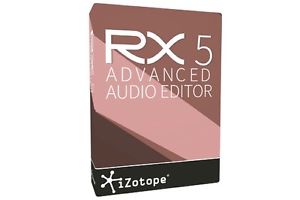
IZOTOPE RX 5 ADVANCED Audio Editor Upgrade from RX 1-5 Standard
Estimated price for orientation: 850 $
Category: Software Loops and Samples
Class:
Description Condition: New: A brand-new, unused, unopened, undamaged item in its original packaging (where packaging is applicable). Packaging should be the same as what is found in a retail store, unless the item is handmade or was packaged by the manufacturer in non-retail packaging, such as an unprinted box or plastic bag. See the seller's listing for full details. See all condition definitions- opens in a new window or tab ... Read moreabout the condition Model: RX 5 Advanced Upgrade from RX 1-5 standard Platform: Windows & Mac Country/Region of Manufacture: United States MPN: 70-RX5ADVUP Type: Computer Audio Plugins Brand: iZotope UPC: N/A
RX 5 Audio Editor FeaturesDe-plosive | Leveler | Ambience Match | EQ Match | Loudness | Instant Process Tool | Module Chain Corrective EQ | De-Clip | De-Reverb | RX Connect | Dialogue De-noise | Spectral RepairiZotope Insight | De-noise | De-Click | De-Hum | Additional FeaturesRX 5 Advanced Audio Editor, the flagship product in the . RX 5 Advanced Audio Editor is designed for professional post production audio engineers who demand best in class audio processing tools and deep controls. RX 5 Audio Editor delivers the essential tools any audio editor needs to repair and enhance audio for their productions. De-plosiveImprove the quality of your dialogue by removing plosive pops and mic bumps that can occur during a recording. Intelligent analysis detects the presence of a plosive in between the desirable harmonics of a dialogue or vocal signal. It then transparently reduces the plosive far more effectively than simply using an EQ to roll off the low end (which lacks precision and also affects dialogue frequencies). LevelerLevel the volume of your dialogue with consistency, while keeping the breathes and sibliances lower. Take hours of production dialogue and non-destructively level it out in just a few minutes, leaving you time for fine tuning and creative mixing.Ambience Match & AudioSuite Plug-inFill in consistent ambience beds under constructed sentences and ADR lines right from within Pro Tools AudioSuite. No longer spend hours of time manually looping sections of ambience under a scene with ADR and broken up sentences.EQ MatchCreate a consistent sonic sound between two different dialogue recordings (for example, matching ADR to production audio. Save time editing by easily producing EQ consistency between dialogue lines without manually trying to match their EQs. LoudnessEnsure compliance with international broadcast standards.The Loudness module quickly makes any mix compliant with network standards across the world, so you can export and deliver your mix to multiple networks. Simply enter the desired True Peak and LKFS values, and click Process. The module will indicate what the loudness measurements are for your audio (integrated, shorterm, momentary, range loudness, and true peak); you can then select a preset or set a desired target Integrated Loudness and True Peak value for the program audio. Instant Process ToolDirectly and intuitively paint away audio problems on the spectrogram within the timeline. Intuitively cleanup and repair audio in a quick and immediate way that will save many mouse clicks. Instant Process is a mode that may be toggled on/off. When Instant Process is on, any selection you make is immediately processed. Simply paint an audio problem away without needing to open a module, choose settings, and then click Process. Instant Process offers several different modes (Attenuate, De-click, Fade, and Gain, and Replace) which will instantly process the settings present in the named module/tab.Module ChainProcess multiple modules (preset) at once, reducing the amount of mouse clicks. Get quick results and save time on a project that contain problematic audio needing multiple processes to get cleaned up.Corrective EQSurgically reduce and remove problematic frequencies.The Corrective EQ module can often be a simple first step to preparing a file for cleanup and repair. Now with a new easy-to-use UI, 6 fully parametric bands and new filters to be used for cutting harsh high frequencies, rolling off low rumbles, reducing standing waves from a boomy location recording or increasing the intelligibility of dialogue. De-clipDe-clip repairs digital and analog clipping artifacts that result when A/D converters are pushed too hard or magnetic tape is over-saturated. De-clip can be extremely useful for saving recordings that were made in a single pass, such as live concerts or interviews, and any audio that cannot be re-recorded. De-reverbReduce some of the reverb from a recorded space in order to make the dialogue useable. Salvage recordings of dialogue containing too much reverb/acoustic space without needing to
Description
| Condition: | New: A brand-new, unused, unopened, undamaged item in its original packaging (where packaging is applicable). Packaging should be the same as what is found in a retail store, unless the item is handmade or was packaged by the manufacturer in non-retail packaging, such as an unprinted box or plastic bag. See the seller's listing for full details. See all condition definitions- opens in a new window or tab ... Read moreabout the condition | Model: | RX 5 Advanced Upgrade from RX 1-5 standard |
| Platform: | Windows & Mac | Country/Region of Manufacture: | United States |
| MPN: | 70-RX5ADVUP | Type: | Computer Audio Plugins |
| Brand: | iZotope | UPC: | N/A |
RX 5 Audio Editor FeaturesDe-plosive | Leveler | Ambience Match | EQ Match | Loudness | Instant Process Tool | Module Chain Corrective EQ | De-Clip | De-Reverb | RX Connect | Dialogue De-noise | Spectral RepairiZotope Insight | De-noise | De-Click | De-Hum | Additional FeaturesRX 5 Advanced Audio Editor, the flagship product in the . RX 5 Advanced Audio Editor is designed for professional post production audio engineers who demand best in class audio processing tools and deep controls. RX 5 Audio Editor delivers the essential tools any audio editor needs to repair and enhance audio for their productions. De-plosiveImprove the quality of your dialogue by removing plosive pops and mic bumps that can occur during a recording. Intelligent analysis detects the presence of a plosive in between the desirable harmonics of a dialogue or vocal signal. It then transparently reduces the plosive far more effectively than simply using an EQ to roll off the low end (which lacks precision and also affects dialogue frequencies). LevelerLevel the volume of your dialogue with consistency, while keeping the breathes and sibliances lower. Take hours of production dialogue and non-destructively level it out in just a few minutes, leaving you time for fine tuning and creative mixing.Ambience Match & AudioSuite Plug-inFill in consistent ambience beds under constructed sentences and ADR lines right from within Pro Tools AudioSuite. No longer spend hours of time manually looping sections of ambience under a scene with ADR and broken up sentences.EQ MatchCreate a consistent sonic sound between two different dialogue recordings (for example, matching ADR to production audio. Save time editing by easily producing EQ consistency between dialogue lines without manually trying to match their EQs. LoudnessEnsure compliance with international broadcast standards.The Loudness module quickly makes any mix compliant with network standards across the world, so you can export and deliver your mix to multiple networks. Simply enter the desired True Peak and LKFS values, and click Process. The module will indicate what the loudness measurements are for your audio (integrated, shorterm, momentary, range loudness, and true peak); you can then select a preset or set a desired target Integrated Loudness and True Peak value for the program audio. Instant Process ToolDirectly and intuitively paint away audio problems on the spectrogram within the timeline. Intuitively cleanup and repair audio in a quick and immediate way that will save many mouse clicks. Instant Process is a mode that may be toggled on/off. When Instant Process is on, any selection you make is immediately processed. Simply paint an audio problem away without needing to open a module, choose settings, and then click Process. Instant Process offers several different modes (Attenuate, De-click, Fade, and Gain, and Replace) which will instantly process the settings present in the named module/tab.Module ChainProcess multiple modules (preset) at once, reducing the amount of mouse clicks. Get quick results and save time on a project that contain problematic audio needing multiple processes to get cleaned up.Corrective EQSurgically reduce and remove problematic frequencies.The Corrective EQ module can often be a simple first step to preparing a file for cleanup and repair. Now with a new easy-to-use UI, 6 fully parametric bands and new filters to be used for cutting harsh high frequencies, rolling off low rumbles, reducing standing waves from a boomy location recording or increasing the intelligibility of dialogue. De-clipDe-clip repairs digital and analog clipping artifacts that result when A/D converters are pushed too hard or magnetic tape is over-saturated. De-clip can be extremely useful for saving recordings that were made in a single pass, such as live concerts or interviews, and any audio that cannot be re-recorded. De-reverbReduce some of the reverb from a recorded space in order to make the dialogue useable. Salvage recordings of dialogue containing too much reverb/acoustic space without needing to